
Our team will find the right solution for your requirements.

Quick Order & BOM Upload at Schukat
Order efficiently using a bill of materials or direct entry
With Schukat’s Quick Order feature, you can order items quickly and easily — either by entering part numbers directly or by uploading a bill of materials (BOM).
 Ideal for buyers, developers, and companies with structured procurement processes.
How the Quick Order Process Works:
1. Upload your file – Submit your component list in CSV format, you can use our template for this.
2. Automatic Identification – Parts are matched based on article numbers, including status and stock levels.
3. Highlighting of Unmatched Items – Components that cannot be assigned are clearly marked.
4. Automatic Storage – Uploaded lists are saved automatically, including item count, creation date, and last modification date.
5. Flexibility & Expansion – Saved lists can be downloaded, modified, and re-uploaded for updates or extensions.
6. Quick Entry for Additional Items – Easily add extra components via a dedicated quick-entry field.
7. One-Click Cart Integration – Once finalized, your BOM can be transferred to the shopping cart with a single click.
8. Real-Time Price & Availability Check – Get the latest pricing and stock updates directly in your shopping cart.
Registration required
To use the quick order and BOM upload features, you need a customer account in the Schukat Webshop.
Your Benefits with Schukat
Optimize your entire purchasing process with the BOM function and quick ordering.
- Quick and easy ordering of large quantities
- Automatic assignment of components, including availability and status
- Flexible list management with save, edit, and download functions
- Price and availability display in the shopping cart for full transparency
- Reduction of manual data entry errors
Typical areas of application
Quick ordering and BOM uploads are particularly well-suited for structured procurement processes in technical and industrial environments.
- Mass production and production planning
- Prototyping and development projects
- Purchasing large bills of materials
- Recurring orders
- ERP-supported procurement processes
FAQ
What is a BOM?
A BOM (Bill of Materials) is a structured list of components required for a product or assembly.
To upload a BOM to the Schukat Webshop, a standardized bill of materials in the specified format is required.
Required fields:
- Manufacturer or Schukat part number
- Quantity
No additional information is required for the upload.
Note: Note: Please use the Schukat template to ensure that your bill of materials is processed smoothly.
What file formats are supported for BOM uploads?
The BOM upload must be in CSV format.
What data must the bill of materials contain?
The only required fields are:
- Manufacturer part number or Schukat item number
- Quantity
To ensure error-free processing, we recommend using the template.
Does the bill of materials have to be in a specific format?
The file should contain structured columns (item number, quantity). The system can automatically map the data.
Can I order multiple items at the same time?
Yes, both via direct entry and via the BOM upload.


More Services

Re-Reeling
Professional rewinding of reels for optimally processable components and smooth production processes.
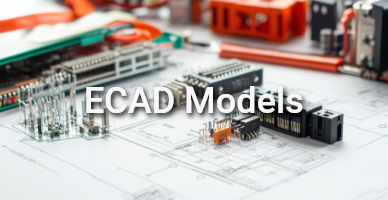
ECAD Data
3D models, symbols and footprints for your CAD software are available directly for thousands of items in our range.

API Interface
Automate your price and availability queries directly from your ERP with our flexible API solution.
EDI connection
Streamlined, error-free processes: exchange orders, order confirmations and invoices electronically.